Bleachers “Gone Now” Album Review

Bleachers-gone-now-cover.jpg

Songwriting powerhouse and Fun. guitarist Jack Antonoff channels the raw emotion of loss, love, and the New Jersey suburbs into Bleachers’ sophomore album “Gone Now.” The three time Grammy award winning Bergenfield native has garned attention as a songwriter for pop icons like Taylor Swift, Lorde, Carly Rae Jepson, St. Vincent, Sara Barellies, and many more. However, the versatility of his writing and musical talent truly shines though Bleachers. Tracks like “Lets Get Married,” “Don’t Take the Money,” and “I Miss Those Days” are upbeat pop hits made for dancing around your room or jamming out in traffic. While tracks like  “Foreign Girls,” “All My Heroes,” and “Goodmorning” are emotionally cathartic and effectively poignant. Gone Now is truly a nostalgic symphony of synth and saxophone, and one of Antonoff’s best records to date. For fans of: Walk the Moon, Steel Train, Lorde, Depeche Mode
Rate: 9/10

Tracks:

1. Dream Of Mickey Mantle*
2. Goodmorning
3. Hate That You Know Me*
4. Don’t Take The Money*
5. Everybody Lost Somebody*
6. All My Heroes
7. Let’s Get Married*
8. Goodbye
9. I Miss Those Days*
10. Nothing Is U
11. I’m Ready To Move On/ Mickey Mantle Reprise
12. Foreign Girls*

*Recommended 

Editing Audio with Audacity

http://www.screencast.com/t/5tXezet4j

I absolutely love music, as you can probably tell, so I was so excited to get the chance to learn how to use audio editing software. I have minimal experience working with Adobe Audition from working at my college radio station, but this time I chose to use Audacity, the open source and free alternative. I chose to use two songs by one of my favorite artists, Bleachers, mixing the songs “Wild Heart” and “You’re Still a Mystery” off of the album Strange Desire. Like most things, getting over the learning curve is the hardest part, but once you get there its not too bad. I learned how to navigate around and tried to figure out what each tool was and their function. I already knew the best way about it was to make individual tracks and align them how I wanted. So I imported each song as a track aligned them end to end, and then recorded my promo with a pair of headphones with a mic. From then I had to mess around with the volume, amplifying my voice and bringing down the track so that I could be heard, without distorting the audio. From there, I attempted a crossfade between tracks, as well as a fade at the beginning and the end of the commercial itself. The “fade in” and “fade out” functions became my best friends in that right, as they automatically gave my audio an even and gradually fade in the volume. Overall, I had a lot of fun with it, and was proud of the product that I had mixed and created myself. It gives me a new respect for all of those amazing producers, like Jack Antonoff himself, out there! Check it out at the link located above and let me know what you think!

Screencasting with Jing

2018-08-15_1250.png
http://www.screencast.com/t/WpAy3YYXl9L

Screencasting is a great tool used to display your computer screen clearly, as opposed to using a camera to take a video of it. You have probably seen a screencasted video on the internet before, especially when looking through tutorials of how to use computer programs or website. My screencasting video gives a little tour around 90.3 the Core’s website. This is the site for my college radio station on the Livingston campus of Rutgers University, and it has articles written by DJs, schedules, links, and a 24 hour livestream of our radio station. As the head of the music department, The Core is something I hold near and dear to my heart.

What I like about the website is that while not very flashy, the website is very user friendly and easy to navigate. All of the subsets of the website, such as contact, schedule, news, etc. are listed at the top of each page. The link to listen live and a note of what and who are playing is also always fixed at the top of each page. This way you always know who and what is currently on air. While the website is wonderful, I do wish it had a little bit more aesthetic appeal. The navigation is easy and great, but it is monotone in color and visual appeal. It looks old simply because it is old. In my opinion, it needs a bit of a redesign or a spicy new paint job. Nonetheless, I love it like it is my own.

Screencasting itself was relatively easy. I used the Jing software, which had simple and quick download and installation. The biggest problem I encountered was with the microphone. Without headphones with a mic, my voice sounded soft and distant. However, with my headphone mic it sounded a bit harsh and fried. Maybe that is just my voice?! I spoke a little softer with the mic a bit farther from my mouth, and it seemed to alleviate most of the problem. Posting the final product was difficult without the screencast.com upload, as I tried google drive beforehand (which did not work very well). I had trouble even finding an outside application to view the video on. Luckily, screencast.com had a direct way to upload through Jing. Overall, it was very easy, and another great skill to have.

Creating a new header using Pixlr

Header

Check out the new header, crafted by yours truly! It was my first time using a photo editor of any kind- I’ve never had practice with Photoshop or anything- but it was surprisingly easy! I used Pixlr to create this gorgeous piece of art and images found through a Google image search. By limiting my search to images with a Creative Commons Attribution license, my image options were significantly narrowed. This made my work a bit more difficult, as I had a specific vision in my head starting out, but even among the thousands of images returned returned to me, none were exactly what I wanted. It definitely would have easier if I broadened my search based on the incensing, however as a contributing member of the internet community, I am obligated to respect copyright laws. In the end, I was able to create this header by borrowing and remixing images from http://www.publicdomainpictures.net, commons.wikimedia.org and pixabay.com.

In order to create this image, I used a picture of a stack of albums and upped the the brightness and saturation to bring out the color. I then created a new layer with the vinyl record on it atop my background, removing the image’s solid background so that my record showed through behind it. I figured out the the wand tool on Pixlr was the perfect way to isolate just the part of the image I wanted. Next, I added a layer of text with my blog’s name: “Hit Shuffle,” and looked through a whole bunch of fonts, until I settled on one that looked sleek, clean, and not too cheesy. But it still didn’t feel complete. I finally felt finished when I added the shuffle icon atop my text, positioning it so it blended into the letters themselves. I had to crop the icon a bit and blend some harsh edges where my letters met the arrows, but in the end I think it flows together really well!

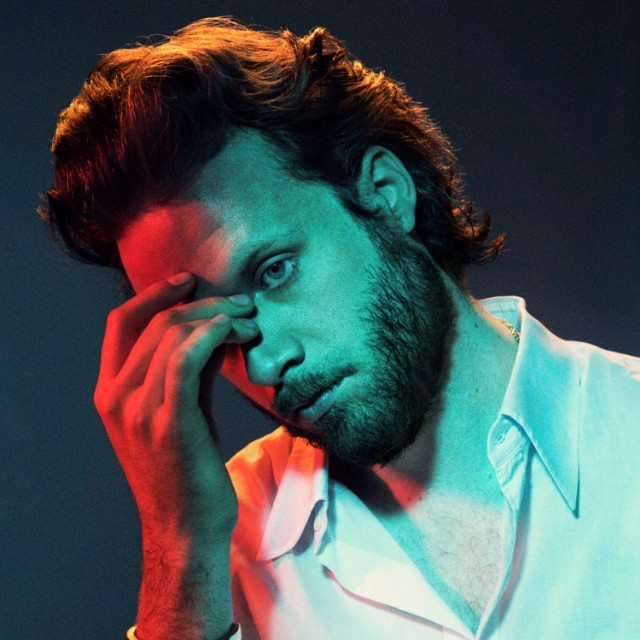
Father John Misty Album Review: “God’s Favorite Customer”

Image result for god's favorite custom
Former Fleet Foxes drummer, Josh Tillman’s egotistical alter ego is back with a triumphantly gentle, soft rock masterpiece. Father John Misty’s 4th album abandons the heavy philosophical musings of its predecessor, trading them for more emotional and personal lyrics, comparable to his sophomore album I Love You, Honeybear. However whereas Honeybear opens up through the means of bombastic romance, in God’s Favorite Customer, we are brought to an intimate place through the honest and graceful lyricism. This album consists of FJM’s simple, trademark piano ballads  (See: The Palace, Dumb Enough to Try, The Songwriter), upbeat, witty, acoustic tracks (Please Don’t Die, Disappointing Diamonds, Mr. Tillman, Date Night), and slow and steady expression-filled songs (God’s Favorite Customer, Hangout at the Gallows, We’re Only People). It is fair to call this Misty’s least pretentious album to date, invoking the feeling of the artist sobering up, coming down from both a pedestal and a high.
Rating: 9/10

My First Post!

Welcome all to my first official post as a blogger! It took me a little while to get the hang of WordPress, trying to get everything where I wanted it. However, it probably took equally as long for me to just figure out what I wanted in the first place. So after adjusting to the learning curve, I think I’m finally starting to get the hang of this thing.
Luckily, it’s just the beginning! I can’t wait to sharpen my skill set and become a better blogger. In the meantime, you can find me digging for vinyl at my favorite local record stores: the classic Vintage Vinyl in Woodbridge, NJ or newcomer Spina Records in New Brunswick. See you there!

download (2)

Spina Records via Facebook

4915500698_974504882c_b.jpg

Vintage Vinyl: Photo by Ali Donohue